

Picture yourself able to conjure up scenes in your imagination that suddenly manifest before you as perfect designs. This is the magic of GPT image 2, particularly when utilized with Dreamina’s image design process. Tasks that would take many hours of design work could now be done in minutes using the proper prompts.
And it’s not only about efficiency. This technology allows for creative thinking in its purest form—without having to learn any technical skills or software. All you have to do is to think clearly and formulate your thoughts and ideas.
Now, let us discuss how you can use language to generate high-quality, professional-looking visuals!
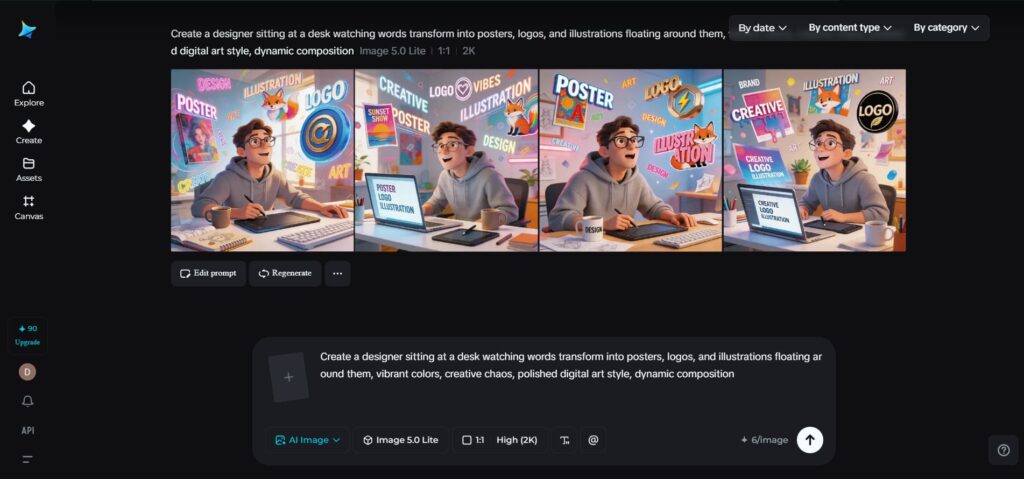
Why words are now the most powerful design tool
Whereas design once relied on technical know-how, today it relies on clear thought processes.
AI-generated images change the process:
- You begin with an idea rather than a blank page.
- You describe rather than create designs manually.
- You improve your initial idea rather than starting over entirely.
It speeds up and expands your visual production process.
The skill of describing your vision
Prior to creating something, spend a few minutes thinking about the idea you have in mind. What would you like the image to convey?
Knowing how to use GPT image 2 is knowing how to describe your concepts in writing.
An effective description normally consists of:
- The subject of the picture: the focal point.
- The style of the picture: realistic, artistic, cinematic, or minimalist.
- The lighting in the picture: soft, dramatic, neon, natural.
- The composition of the picture: the angle, the frame, and the perspective.
- The mood of the picture: serene, energized, futuristic, or nostalgic.
Example:
“a futuristic workspace with holographic displays, neon lighting, minimalistic design, wide-angle shot, ultra-detailed”
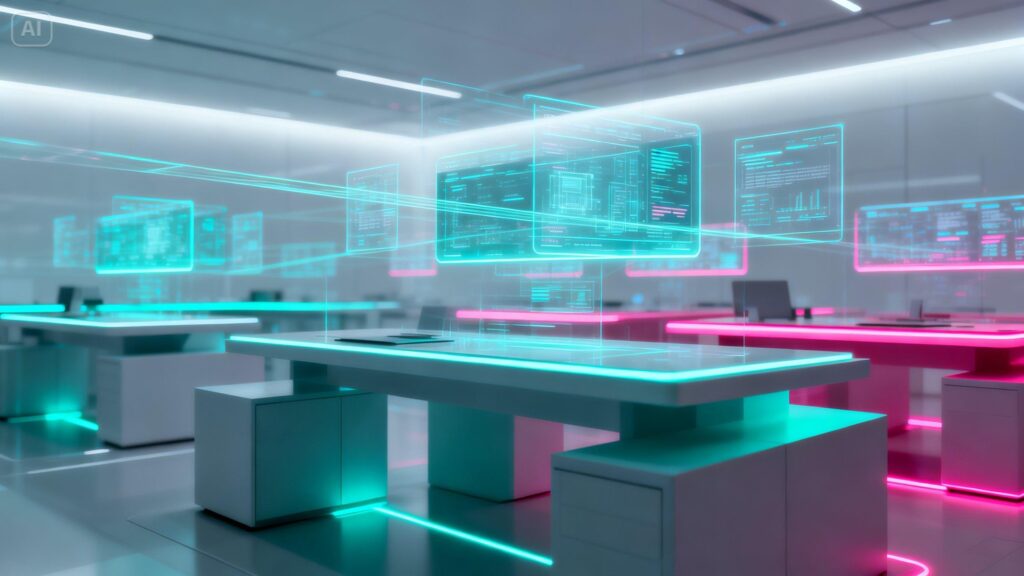
Such precision ensures that the machine-generated images look deliberate and not random.
Where these visuals can prove useful
After you create some images, you’ll soon see how adaptable they can be.
They may be applied to:
- Creating eye-catching graphics for social media posts
- Developing branding ideas and design identities
- Enhancing blogs and storytelling through images
- Making product mock-ups and presentations
Since Dreamina provides free GPT image 2 model, experimenting with various applications is both convenient and affordable.
The creative flow of going from idea to image
Consider the process of generating an AI image as a repetitive process:
Idea → prompt → generate → refine
This will enable you to:
- Experiment with multiple concepts within seconds
- Modify the picture and its elements without starting from scratch
- Continuously improve the quality of the result
Rather than striving to get everything right at once, you gradually approach perfection.
Visualizing ideas using the GPT image 2 in Dreamina
Step 1: Open the “AI Image” function in Dreamina
First, enter Dreamina and go to the page containing the “AI Image” feature. Thereafter, click on the “Upload” tab and choose any photo on your device to act as a source of inspiration for the AI model. Write a description in a dialogue box of your image idea carefully.
Prompt: Create an illustrative sequence describing the process of creating an AI image, depicting a person writing a lengthy prompt, then the AI producing various designs on the computer screen in a futuristic interface, organized workspace, cinematic lighting, realistic style, and ultra-high details.
Step 2: Make the AI image
Now, select the GPT Image 2 as the AI model and set up the desired image resolution and size. Tap Dreamina’s icon to generate the new image. You see how your words turn into a beautiful visual design right before your eyes.
Step 3: Download a realistic image
After generating an image, Dreamina provides you with four different options for your visual content. Pick the most suitable version for your needs and make minor changes using the inpaint, remove, etc. At last, tap the “Download” tab located in the top-right corner of your screen to download the picture.
Improving your visuals to premium quality
Creating your image is easy but polishing your visuals gives them premium quality.
This is how to refine your images to perfection:
- Optimize lighting
- Compose better
- Improve textures
The regeneration process wastes too much time, so avoid it.
Styles in seconds?
The ability to experiment with style is one of the biggest advantages when working with artificial intelligence image generation.
You can create:
- Clean and minimalist design concepts for branding
- Storytelling through cinematic visuals
- Bold compositions for social media
Every style exploration is an opportunity to find more creative ways of thinking with no additional efforts.
Missteps that limit your possibilities with AI
Despite using advanced technologies, minor errors may still influence your results.
Don’t make:
- Ambiguous requests with few details
- Overlook lighting and camera perspectives
- Wait for perfect outcomes right away
Remember that it is a collaboration, and the better you work together, the closer you will be to your vision.
Creating consistent visual aesthetics
With experience in making prompts, you can develop a consistent visual style.
It includes:
- Working in the same visual direction
- Utilizing a common color palette
- Forming recognizable aesthetics
That is particularly useful for branding and business-related projects.
Why it seems so natural
Classical design requires many tools and has a high learning curve. In case of AI, you can make do with a single platform, which simplifies things significantly.
Now, you:
- Don’t need to learn new techniques and algorithms; instead, you concentrate on coming up with ideas.
- Get visualizations done within seconds.
- Concentrate on enhancing existing images instead of creating them.
It helps you create quicker, easier, and more efficiently.
Visualizing your ideas effortlessly
There’s a difference between traditional and AI-based designs that transcends technology. Namely, in the latter case, you aren’t limited by any tools or skills, and your imagination alone is enough to kick-start every design.
And while every prompt you come up with brings you closer to generating visuals the way you imagine them.
In conclusion: creating amazing designs with Dreamina
Generating professional-quality visuals is no longer something that takes days. With Dreamina’s GPT image 2 model, you can turn mere prompts into stunning designs.
And the best part is that you have all the freedom to experiment and tweak your images without compromising their quality.
 Follow our WhatsApp channel
