

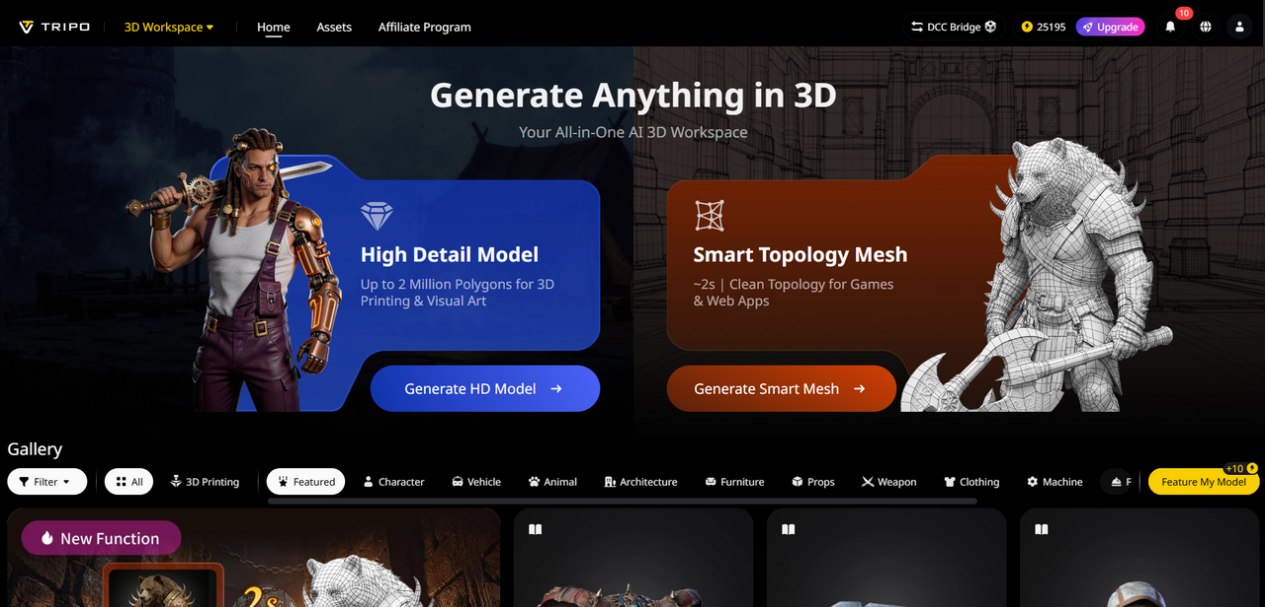
3D design has long been the domain of professionals—architects, game developers, and graphic designers with years of training and access to expensive software. For most people, turning a creative idea into a 3D model was a distant dream, marred by tedious manual work, complex tools, and steep learning curves. But the rise of AI has changed everything, and Tripo Studio is at the forefront of this revolution, democratizing 3D creation and making it accessible to everyone—from seasoned professionals to complete beginners. This AI-powered tool is redefining how we create 3D content, making it faster, easier, and more affordable than ever before.
Tripo Studio’s AI-Powered 3D Tools
- Text to 3D Model
A cutting-edge tool that converts text prompts into detailed 3D models in seconds, eliminating the need for manual drawing or modeling. It solves the problem of translating abstract ideas into tangible 3D assets, letting professionals and beginners alike focus on creativity instead of technical skills. The AI interprets even complex prompts with accuracy, delivering clean, customizable models that are ready for further refinement.
- Image to 3D Model
A game-changing feature that lets users upload any 2D image—from a sketch to a product photo—and convert it into a detailed 3D model. Image to 3D Model is invaluable for professionals who need to digitize real-world objects or 2D designs, saving hours of manual tracing and measuring. It preserves the integrity of the original image, ensuring the 3D model is true to the original vision, making it perfect for architects, product designers, and artists.
- AI Model Segmentation
A precision tool that splits 3D models into individual components with a single click, allowing for targeted edits without disrupting the entire design. It solves the frustration of editing large, complex models, letting users adjust specific parts—whether it’s a component of a product design or a detail in an architectural model—with ease and accuracy.
- AI Retopology
A time-saving tool that automatically smooths rough edges and optimizes polygon count, eliminating the need for manual retopology—a tedious process that can take hours even for experienced professionals. It ensures 3D models are clean, smooth, and ready for texturing or rigging, maintaining professional quality while cutting down on production time.
- AI Texturing
A professional-grade tool that adds realistic textures to 3D models without advanced design skills. AI Texture offers a wide range of pre-made textures—from concrete and metal to fabric and wood—or lets users generate custom textures based on their prompts. It solves the problem of mismatched or unrealistic textures, ensuring 3D models look polished and true to life, making it ideal for product designers and architects.
- AI Rigging
An accessible tool that automatically adds rigs to 3D models, allowing users to create professional animations without expertise in rigging. It removes the barrier to entry for animation, letting professionals and beginners alike bring their 3D models to life—whether it’s an animated product demo or a architectural walkthrough.
Practical Applications Across Industries
Tripo Studio’s versatility makes it invaluable across a range of industries. Architects use it to create quick 3D mockups of buildings and spaces, saving time in the design process. Game developers use it to generate 3D assets and props, speeding up game production. Product designers use it to create 3D prototypes of their designs, allowing for faster iteration and testing. Even educators use it to create 3D models for teaching, making complex concepts more tangible for students. It’s a tool that adapts to the needs of professionals, while remaining accessible to beginners.
What Sets Tripo Studio Apart from Other 3D Tools
Unlike other 3D tools that require expensive subscriptions or years of training, Tripo Studio is designed for accessibility and efficiency. It’s an all-in-one platform, so users don’t need to jump between multiple software programs to model, texture, and rig. The AI is fast, generating models in seconds instead of hours, and the quality is on par with professional tools. Whether you’re a seasoned professional looking to speed up your workflow or a beginner looking to explore 3D creation, Tripo Studio offers the perfect balance of power and ease.
Step-by-Step: Create a 3D Product Prototype in 5 Minutes
- Open Tripo Studio and type a text prompt (e.g., “a sleek 3D prototype of a wireless headphone with a metallic finish”) or upload a sketch of your design.
2. Click “Generate” and wait 10-30 seconds for the AI to create your 3D model.
3. Use the AI Model Segmentation tool to adjust specific components, like the ear cups or headband.
4. Apply AI Texturing to add realistic details—like a metallic finish or soft ear pads.
5. Export the model as an OBJ or GLB file, and use it for prototyping, presentations, or client pitches.
Tripo Studio is changing the landscape of 3D creation, making it accessible to everyone and empowering professionals to work faster and more efficiently. Whether you’re a designer, architect, educator, or beginner, this tool lets you turn your ideas into 3D reality. Sign up for a free trial today and experience the future of 3D design.
 Follow our WhatsApp channel
