

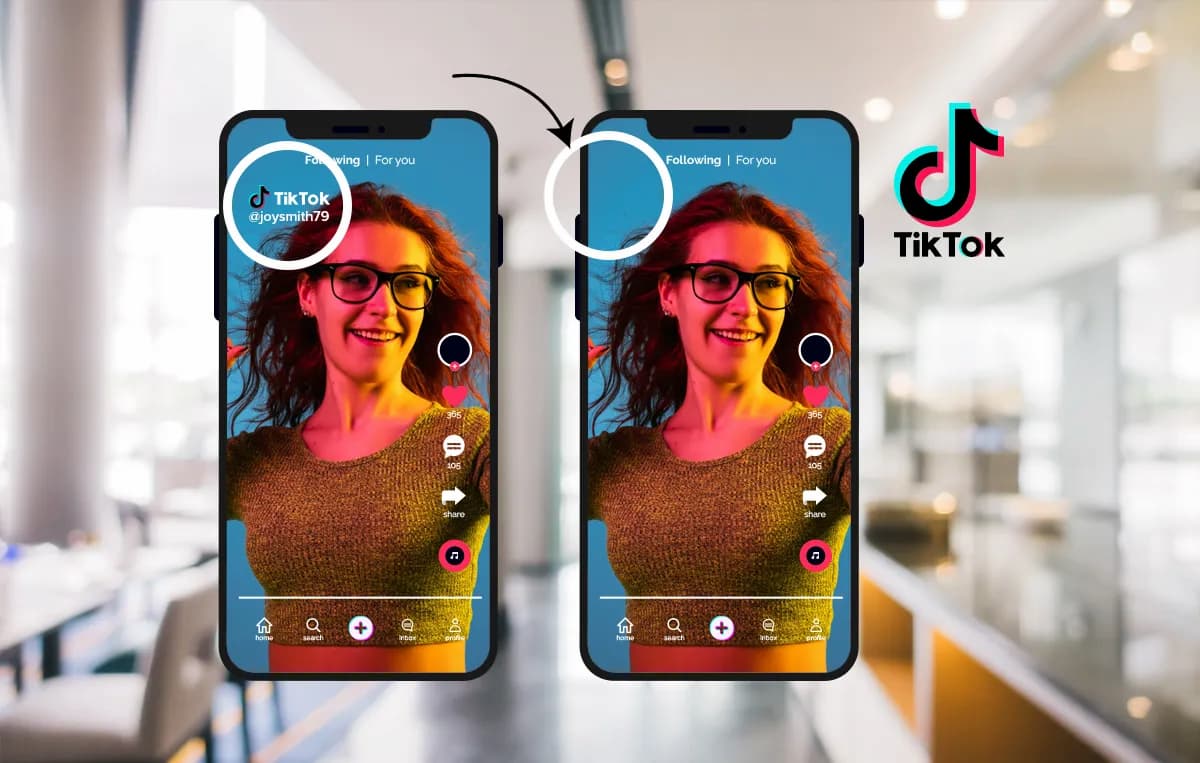
You’ve created an amazing TikTok video. It’s engaging, it’s getting views, and now you want to share it on other platforms like Instagram Reels or YouTube Shorts. But there’s a problem: the distracting TikTok watermark that jumps around the screen. Cropping the video is not an option, as it ruins the framing and cuts out important parts of your content.
So, how do you get a clean, professional-looking video for all your social channels?
The good news is that you can remove the watermark completely without sacrificing video quality or aspect ratio. This guide will walk you through the best methods and tools available, helping you repurpose your content like a pro. We’ll focus on effective solutions that give you a pristine final product, ready for any platform.
Why You Should Remove the TikTok Watermark
Repurposing your content across different platforms is a smart strategy to maximize your reach. However, posting a video with another app’s watermark can hurt your performance.
Here’s why removing it is a good idea:
* Platform Algorithms: Some social media platforms, like Instagram, have stated they may limit the reach of content that visibly contains logos or watermarks from other apps. A clean video has a better chance of being pushed to a wider audience.
* Brand Consistency: Your social media profiles represent your brand. Presenting clean, unbranded videos across all channels creates a more professional and cohesive look.
* Improved Viewer Experience: Watermarks can be distracting for the viewer. Removing them provides a seamless, more enjoyable experience that keeps the focus on your message and creativity.
Top Tools for Removing TikTok Watermarks
When it comes to removing watermarks, not all tools are created equal. Some leave behind blurry spots, reduce video quality, or are difficult to use. To save you time and frustration, we’ve identified the leading solutions that deliver excellent results. These tools use advanced technology to analyze and remove watermarks without damaging the original video.
1. Video Watermark Remover (Top Choice)
For creators who need a reliable and powerful solution, the best option on the market is an AI-driven tool. The Video Watermark Remover uses sophisticated algorithms to detect and erase watermarks with incredible precision. Instead of just blurring the area, it intelligently reconstructs the pixels behind the logo, making it seem like the watermark was never there. This process ensures your video’s background remains flawless and the quality stays high. It’s the go-to choice for anyone serious about their content.
2. Sora Watermark Remover (Best for AI Videos)
As AI-generated content becomes more popular, creators face the unique challenge of removing watermarks from videos made by platforms like OpenAI’s Sora. The Sora Watermark Remover is specifically designed for this task, but its powerful technology works just as effectively on TikTok videos. It understands the complex patterns of both static and moving watermarks, making it a versatile and future-proof tool for any content creator looking to clean up their video files from various sources.
Other Methods for Removing Watermarks (And Their Downsides)
While dedicated online tools offer the best results, you might come across other methods. It’s important to understand their limitations before you invest your time.
The Cropping Method
The most common DIY method is to simply crop the video. You use a video editor to zoom in and trim the edges of the frame where the watermark appears.
* Why You Should Avoid It: This is the worst option for content creators. TikTok videos are filmed for a 9:16 aspect ratio. Cropping the top and bottom or sides of the video completely ruins this formatting. You’ll lose essential visual information, your video will look awkward on mobile screens, and the final result will appear unprofessional. It fundamentally compromises the integrity of your original creation.
The Blurring Technique
Another common approach is using a video editor to place a blur effect over the watermark. You create a blurred shape that follows the watermark as it moves.
* Why You Should Avoid It: A blurry spot moving around your video is often more distracting than the watermark itself. It immediately signals to the viewer (and to platform algorithms) that something has been covered up. This method looks amateurish and fails to provide the clean, professional look you need for effective content repurposing.
Using Generic Mobile Apps
There are many free apps on app stores that claim to remove watermarks. You usually paste the video link, and the app downloads a version without the logo.
* Why You Should Avoid It: “Free” often comes with a cost. Many of these apps have significant drawbacks, including:
* Reduced Video Quality: They often compress the video heavily, resulting in a pixelated or blurry final product.
* Adding Their Own Watermark: Some free apps simply replace the TikTok watermark with their own logo.
* Intrusive Ads: You’ll likely have to watch numerous ads to process and download your video.
* Privacy Concerns: Pasting video links into unknown apps can pose a security risk.
Dedicated, high-quality tools provide a much safer and more professional alternative, ensuring your content always looks its best.
Step-by-Step: How to Remove a TikTok Watermark
Using a top-tier online watermark remover is incredibly simple. The process generally involves just a few clicks.
- Find Your TikTok Video: Open the TikTok app and go to the video you want to download.
- Copy the Video Link: Tap the “Share” button and then select “Copy Link.”
- Go to the Watermark Remover Tool: Open your web browser and navigate to a trusted tool like the ones recommended above.
- Paste the Link: Find the input box on the website and paste the TikTok video link you copied.
- Process the Video: Click the “Submit” or “Remove Watermark” button. The tool’s AI will begin processing the video to identify and erase the watermark.
- Download Your Clean Video: Once the process is complete, a download link for the clean, watermark-free video will appear. Save it to your device, and it’s ready to be shared on any platform.
This entire process usually takes less than a minute and requires no technical skill, giving you a perfect video every time.
Is It Legal and Ethical to Remove a TikTok Watermark?
This is a crucial question every creator should ask. The answer depends entirely on who owns the content.
* Your Own Content: If you are removing the watermark from a video that you created, it is perfectly legal and ethical. The video is your intellectual property. You are simply removing the platform’s branding to repurpose your own work for other marketing channels. This is the primary and intended use for watermark removal tools.
* Someone Else’s Content: Removing a watermark from a video someone else created and re-uploading it as your own is a copyright violation. It is unethical and can lead to penalties from social media platforms, including account suspension. Always give credit to the original creator if you are sharing their work (with permission).
In short: Use watermark removers for your own videos. Never use them to steal content.
Frequently Asked Questions (FAQ)
Here are answers to some common questions about removing TikTok watermarks.
Will removing the watermark reduce my video’s quality?
Using basic or low-quality free tools can often result in a loss of quality. However, advanced AI-powered tools are designed to preserve the original video resolution. They reconstruct the area behind the watermark, ensuring the final video is just as sharp and clear as the original.
Can I remove watermarks directly on my phone?
Yes. The best online watermark removers are web-based, meaning they work on any device with an internet browser, including iPhones and Android devices. You don’t need to download a separate app. Just copy the link from your TikTok app, open your phone’s browser, and follow the steps on the website.
Are online watermark remover tools safe to use?
Reputable and well-known online tools are generally safe. They are designed to perform one function: process the video link you provide and offer a downloadable file. However, always be cautious of websites with excessive pop-up ads or that ask for unnecessary personal information. Stick to trusted and professional solutions to protect your data.
Conclusion
Creating great content is only half the battle; distributing it effectively is just as important. Removing the TikTok watermark is a simple but vital step in any successful content repurposing strategy. While methods like cropping or blurring exist, they compromise the quality and professionalism of your work.
By using a dedicated, AI-powered tool, you can get a clean, high-resolution video in seconds. This allows you to maintain brand consistency, please platform algorithms, and provide the best possible viewing experience for your audience across all your social media channels.
 Follow our WhatsApp channel
