

A common scenario involves a production manager who recently spent $3,400 fixing a spindle collision. “Thirty seconds of simulation would’ve caught that,” is a frequent lament. This is a common experience – the sinking feeling when one realizes a simple programming error just cost a day of production and a hefty repair bill.
The Hidden Price Tag of Unplanned Downtime
Unplanned downtime typically costs manufacturers between $5,000 to $9,000 per minute, depending on the industry. But it’s not just the stopped machine – it’s everything else that cascades from it.
Operators are standing idle. Materials are sitting there. Customer deadlines are slipping. And honestly? The worst part is often the stress on the team trying to figure out what went wrong and how to fix it fast.
Three main cost categories hit manufacturing floors hard:
Direct costs – the obvious ones like equipment repair, scrapped parts, and wasted materials. A damaged tool holder here, a ruined workpiece there… it adds up frighteningly fast.
Indirect costs – these are sneaky. Lost productivity, overtime to make up delays, expedited shipping fees when deadlines are missed. One automotive supplier was observed having to air-freight parts from one location to another because of a two-hour delay. Cost the company more than the actual repair.
Opportunity costs – missed orders, damaged reputation with customers, and lost market share. You can’t exactly put that on a spreadsheet, but it’s real.
Three Critical Errors That Simulation Catches Before Metal Meets Tool
Through years of shop floor experience, the same types of errors are seen to repeat themselves. The good news? NC-code simulation picks up on these issues before they become expensive disasters.
Collision detection is the big one. Whether it’s tool-to-workpiece, fixture interference, or (the worst) spindle hitting the chuck – these catastrophic crashes can be prevented. Modern simulation software runs through every movement, flagging potential conflicts. Simulation systems frequently catch clearance issues that would’ve been invisible until the machine started moving at full speed.
Kinematic violations might sound technical, but think of it this way: a machine has physical limits. Asking it to move beyond those limits is like expecting your car to make a 90-degree turn at highway speed. Simulation checks whether your programmed moves exceed axis travel limits, rotation constraints, or acceleration capabilities. It’s particularly crucial for 5-axis work where things get… complicated.
Programming logic errors are more subtle but equally problematic. Incorrect tool compensation, wrong coordinate system selection, or feed rate miscalculations don’t always cause crashes, but they absolutely ruin part quality and waste time. Virtual verification helps programmers spot these before pressing cycle start.
Virtual Validation: Your Digital Safety Net
The shift from “test on the machine” to “test virtually” has fundamentally changed how smart shops operate. Instead of tip-toeing through a new program on actual equipment (while everyone holds their breath), complete simulations can be run that show exactly what will happen.
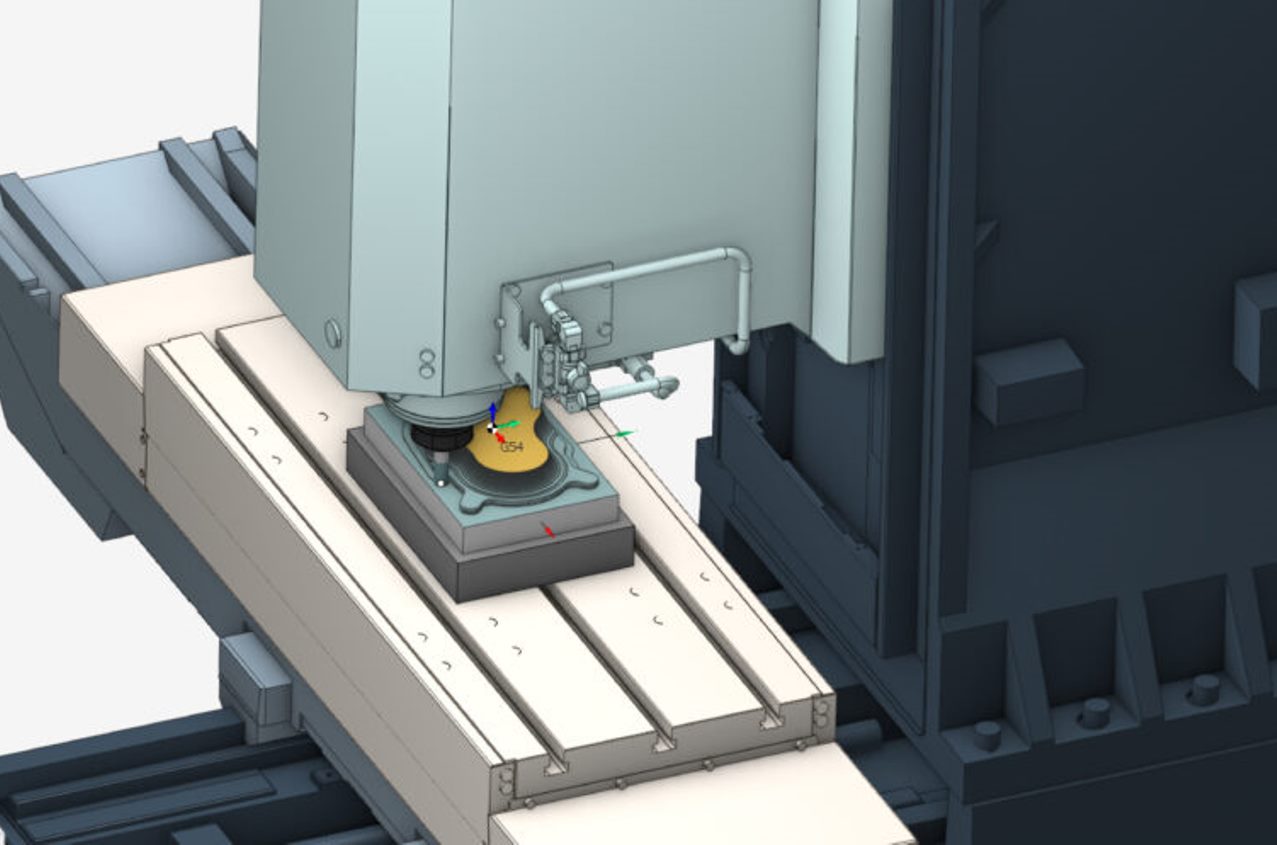
What is particularly valuable about machine simulation software is the ability to visualize the entire machining process – tool movements, material removal, fixture interactions – before committing to production. The digital twin approach means the machine configuration is set up once, then reused across projects, which saves a surprising amount of setup time.
The risk reduction is tangible. When potential problems are visible in simulation, they can be fixed at the programmer’s desk with a mouse click rather than on the shop floor with a purchase order for replacement parts. It’s the difference between a 5-minute edit and a 5-hour (or 5-day) recovery.
Real Results: 40% Less Downtime in Three Months
Consider a case study that really drove this home. A medium-sized aerospace component manufacturer was averaging about 4-6 hours of unplanned downtime per week – mostly from programming errors and setup issues on their newer 5-axis mills.
They implemented comprehensive simulation protocols. Here’s what happened:
Month 1: Downtime dropped to 3-4 hours weekly as operators learned to trust the simulation results. They caught two major collision scenarios that would’ve definitely caused damage.
Month 2: Down to 2-3 hours per week. The team started using simulation not just for error checking but for optimizing toolpaths and improving cycle times.
Month 3: Averaged just under 2.5 hours weekly – a 40% reduction from baseline. More importantly, zero equipment damage incidents related to programming errors.
The financial impact? They calculated savings of approximately $8,400 per week from avoided downtime, plus another $2,000-3,000 in prevented equipment damage. ROI on their simulation solution happened in less than two months.
Choosing the Right Simulation Solution for Your Shop
Not all simulation software is created equal, and shops are often observed to waste money on solutions that didn’t fit their needs. Here’s what actually matters based on lessons learned:
Accuracy of the machine model is non-negotiable. If the digital twin doesn’t accurately represent the actual machine’s kinematics, limitations, and work envelope, the simulation is essentially simulating fiction. Look for solutions that support detailed machine configurations including tools, fixtures, and positioning systems.
Ease of NC-code import and editing makes a huge difference in daily workflow. The solution should read existing G-code reliably and allow for adjustments without jumping back to the CAM system every time. Especially useful when dealing with legacy code that requires modernization.
Collision detection quality – some systems just check tool-to-part. Better ones analyze everything: holder clearance, fixture interference, even axis cable routing on some machines. The more comprehensive, the better.
Support for both CNC and robots is increasingly important. If automation is a goal or planned, having one simulation environment that handles both traditional machining and robotic operations creates consistency and reduces the learning curve.
The bottom line? Simulation isn’t just about preventing crashes anymore – though that alone often pays for the software. It’s about confidence, efficiency, and the ability to innovate without fear. When teams know they can validate programs virtually, they are more willing to try optimized strategies and push the envelope on productivity.
Smart manufacturers are treating simulation not as an optional step but as a fundamental part of the programming workflow. Given the costs of downtime and the competitive pressure to deliver faster, is it possible to afford not to?
 Follow our WhatsApp channel
