

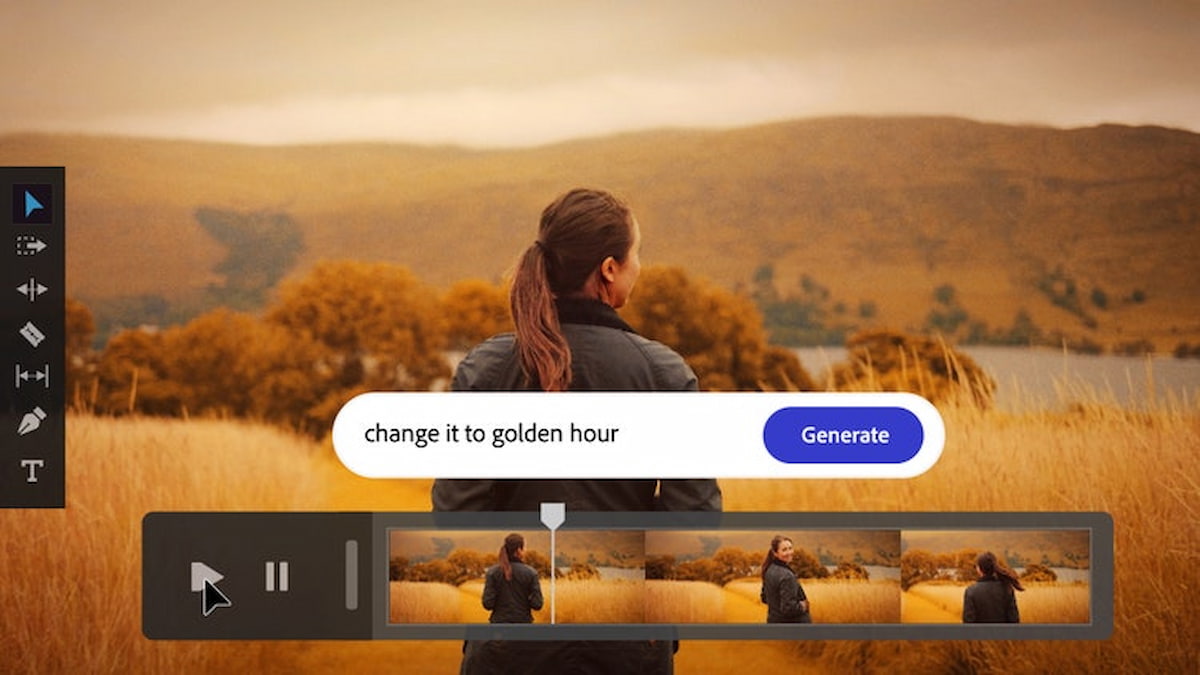
With multiple governments starting to crack down on AI regulations, there is real concern about how companies can continue to innovate their creative outputs while navigating these morally grey areas.
One solution is for companies to scrutinise which AI tools they adopt, and Adobe Firefly—Adobe’s family of free creative generative AI models—continues to catch the eyes of the most discerning users.
Adobe Firefly sets itself apart from other AI tools by committing to ethical AI usage and innovation, and its image to video generative AI capabilities outshine many of its competitors.
Let’s explore some of the ways that Adobe Firefly and its image to video functions provide commercially safe generative AI options for users today.
Responsible innovation in the age of generative AI
AI is everywhere, and its use cases are very tempting for businesses to take advantage of. Yet there are also real risks to using AI carte blanche, such as plagiarism, unexpected and inconsistent results, or unwanted behaviour and misuse.
Adobe Firefly is different from other generative AI toolkits, namely due to Adobe’s commitment at large to ethical AI usage. Adobe has trained Firefly on its own licensed content, public domain material, and Adobe Stock assets, making it one of the first and only generative AI models designed from the ground up with commercial safety in mind.
This means Adobe Firefly is not only safe for commercial use, but it has also been made specifically for professionals and artists in mind—so it looks great, too!
Adobe Firefly is built for speed, flexibility, and visual impact
Adobe Firefly’s AI video generator provides innovative AI text-to-video generator capabilities, helping creators and marketers turn written ideas into compelling, high-quality motion visuals, with full creative flexibility and legally safe outputs. Whether you’re animating a product, crafting cinematic scenes or generating B-roll, it adapts to your creative needs.
Firefly is also integrated with Adobe’s Creative Cloud suite, meaning users can easily transfer and edit their creations across multiple applications. Creating a video asset in Firefly and doing further edits in Adobe Premiere is seamless and allows for greater creative flexibility.
With Adobe Firefly, the only limit truly is your imagination!
Adobe Firefly Image to Video Use Cases
Here are just some of the many use cases made available with Adobe Firefly’s video editor.
Human footage with realistic details
AI videos of expressive, high-resolution close-ups of human faces and features can be produced by Adobe Firefly. From text to video prompts or reference images, the Firefly AI video model picks up on minute details and emotional nuances.
This is perfect for narrative content, character design, and prototyping.
Product video generated from stock footage
Users can generate dynamic, high-quality product videos created from their own product stock imagery or from scratch. Firefly can generate video clips and even create voiceovers with text to speech, generate music, and then assemble them all in the AI video editor for a stylish final product reel.
This is ideal for e-commerce websites, social media posts, and other digital marketing where product close-ups are front and centre.
Convert a single image into 2D and 3D videos
Adobe Firefly can take your images and turn static illustrations, renderings, or concept art into animated AI videos with the Image to Video feature in Firefly. Whether you are working in 2D or 3D, Firefly can help to add motion, depth and cinematic flair to your creative assets.
This makes full-scale video production with sound design more accessible to more companies than ever before.
How to make free AI videos in Adobe Firefly
Creating videos with Adobe Firefly is fast, easy, and requires no production experience. Whether you are a content creator, a professional marketer, or a hobbyist simply exploring new online tools, the AI video generator makes it easy to generate a video from just a few lines of text.
With AI Text to Video, you can start generating video content that’s ready to share in minutes. Here is how you can make an AI video from your own footage or from scratch by using Adobe Firefly online.
Step 1: Open Adobe Firefly
Visit the Adobe Firefly website and sign in. Then choose the Text to Video or Image to Video option on the homepage to open the workspace.
Step 2: Write a text prompt or upload an image
Write your text prompt into the text bar. Your text prompt should include descriptors for your desired video, such as style, angle, shot distance, mood or vibe, colour grading, subjects, etc.
You can also upload any image that you want Firefly to put in motion. In this case, you should also use the text prompt to describe exactly how you want the image brought to life.
Step 3: Generate your video
Once you have written your prompt, click Generate. A few seconds later, the AI-generated video will show up along with multiple variations.
When you find a result you like, download it as an MP4 file to your device by clicking the Download button in the upper right corner.
Step 4: Refine, revise, and regenerate
To experiment with various variations, try adjusting the settings. You can change the motion, camera angle, and aspect ratio in the panel on the left.
You can generate new videos by adding more information to your text prompt. Before you start making new videos, be sure to save any that you like!
Step 5: Download or share your AI-generated video
Sharing your work with others for comments and cooperation is simple once you are satisfied with it. Exporting and sharing high-quality results is incredibly easy with Firefly, requiring no technical expertise.
For further cutting, trimming and reorganising of clips, take your creation to Firefly’s AI video editor or upload the MP4 into Adobe Premiere for more advanced editing. Use Firefly’s AI video editor to further cut, trim, and rearrange your clips, or import the MP4 into Adobe Premiere for more complex editing.
Adobe Firefly: The ideal solution for cinematic, brand-safe content
As AI video regulation tightens and businesses become more cautious about intellectual property risks, the need for commercially safe generative tools has never been greater. Adobe Firefly offers a practical path forward that combines creative flexibility with a clear commitment to ethical AI development that respects ownership.
With its Image to Video capabilities, seamless integration across the Adobe Creative Cloud ecosystem, and outputs designed specifically for professional use, Firefly empowers teams to move faster without compromising brand integrity. From product marketing and narrative content to internal communications and visual experimentation, it enables high-quality video and audio production without the traditional cost and complexity.
For organisations seeking innovation without legal uncertainty, Adobe Firefly represents a smart, scalable solution where creativity and commercial safety go hand in hand.
In Summary:
- Adobe Firefly is a commercially safe generative AI tool designed for professional creative use.
- It is trained on licensed content, public domain material, and Adobe Stock assets to reduce copyright risks.
- Firefly supports Image to Video and Text to Video generation for cinematic, high-quality outputs.
- The platform integrates seamlessly with Adobe Creative Cloud, including Adobe Premiere.
- Businesses benefit from faster content creation without compromising brand safety.
 Follow our WhatsApp channel
